
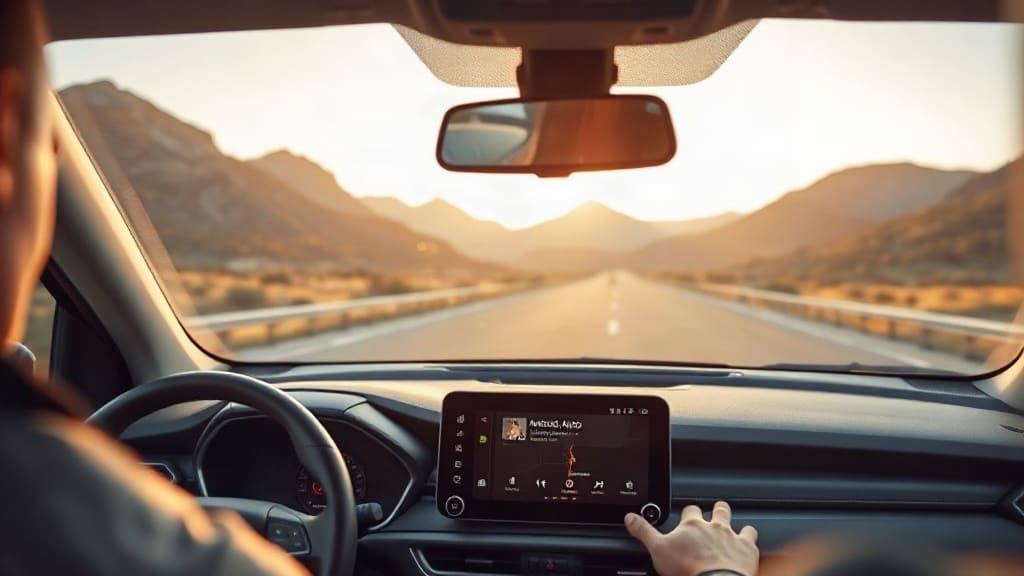
Long drives can be exhausting, but a recent update to Android Auto is changing the way drivers experience extended time behind the wheel. The feature, which seamlessly blends navigation, communication, and entertainment, turns your car's infotainment screen into a smarter co-pilot. Instead of juggling multiple apps or reaching for your phone, everything you need stays within a single, intuitive interface. This shift isn't just about convenience; it's about reducing cognitive load so you can focus on the road ahead.
What Is the New Android Auto Feature?
Android Auto has evolved significantly since its launch, but the latest addition focuses on long-distance driving comfort. The feature automatically curates your most-used apps based on driving context, such as time of day, route length, and recent activity. For example, if you typically listen to podcasts during morning commutes, Android Auto will surface your podcast app prominently when you start the car on a long trip. Similarly, navigation to frequently visited destinations appears as a one-tap shortcut, eliminating the need to type addresses manually.
This contextual intelligence is powered by on-device learning, meaning your data stays private while the system adapts to your habits. Unlike older versions that required manual customization, the new feature works out of the box, though you can fine-tune preferences in settings. The result is a dashboard that feels personal but not cluttered, perfect for those multi-hour drives where every distraction matters.
Why This Matters for Long Drives
Long drives present unique challenges: fatigue, monotony, and the temptation to check notifications. Android Auto's new feature tackles all three by minimizing interaction time. Instead of scrolling through apps, you get a streamlined view with large, glanceable buttons. Voice commands are also more deeply integrated, so you can change music, reply to messages, or find a gas station without taking your hands off the wheel.
The feature's smart route planning deserves special mention. When you input a destination, Android Auto now suggests rest stops, scenic viewpoints, and charging stations (for electric vehicles) along the way. You can add these stops with a single tap, and the system recalculates your ETA instantly. This proactive approach turns a monotonous highway drive into a series of manageable segments, reducing the urge to rush or drive drowsy.
Another benefit is adaptive audio mixing. Android Auto automatically lowers podcast or music volume when navigation prompts play, then smoothly restores it. On long drives, this prevents jarring interruptions that can break your concentration. The feature also learns your preferred volume levels for different audio types, so you won't constantly fiddle with the dial.
How to Activate the Feature
Activating the new Android Auto feature is straightforward, but some users may need to update their app first. Here's a step-by-step guide:
- Open the Google Play Store on your phone and search for "Android Auto." If an update is available, tap Update.
- Connect your phone to your car using a USB cable or wireless adapter (if supported).
- Launch Android Auto on your car's screen. You should see a welcome prompt about the new feature.
- Tap "Get Started" and follow the on-screen instructions to grant necessary permissions (like location access).
- Once setup is complete, the feature activates automatically. You can adjust settings by going to the Android Auto app on your phone, selecting "Customize launcher," and toggling options.
Note that the feature may roll out gradually, so if you don't see it immediately, check for updates over the next few days. Also, ensure your car's infotainment system is compatible; most vehicles from 2018 onward support the latest Android Auto version.
Real-World Benefits from Drivers
Early adopters have reported noticeable improvements in long-drive comfort. Sarah, a sales representative who logs 500 miles weekly, says the contextual app suggestions saved her from "app hunting" on the highway. "I used to spend several seconds looking for my audiobook app, which felt dangerous. Now it's right there when I start the car." Another driver, Mike, appreciated the rest stop suggestions on a cross-country road trip. "It broke the drive into chunks, and I actually felt less tired at the end of each day."
These anecdotes align with the feature's design philosophy: reduce cognitive load, not just taps. By anticipating needs, Android Auto allows drivers to stay in a state of flow, where attention remains on driving rather than interface navigation. This is especially crucial on unfamiliar roads or in heavy traffic.
Comparison with Other In-Car Systems
Apple CarPlay has offered a similar "Siri Suggestions" feature for years, but Android Auto's implementation is more aggressive in surfacing relevant apps. For instance, CarPlay tends to show a static grid of icons, while Android Auto prioritizes apps based on real-time context. Google Maps integration is also tighter, with turn-by-turn directions appearing as a persistent banner even when you switch to another app.
However, not all drivers want such proactive behavior. Some prefer a fixed layout to build muscle memory. Android Auto addresses this by allowing you to pin certain apps to the home screen, overriding the contextual suggestions. This flexibility means the feature works for both tech-savvy users and those who favor simplicity.
Potential Drawbacks and Privacy Considerations
No feature is perfect, and the new Android Auto capability has drawn some criticism. The main concern is data privacy. While Google states that on-device learning keeps personal data local, the system still collects anonymous usage statistics to improve the feature. If you're uncomfortable with this, you can opt out in the app's privacy settings, though you'll lose some personalization.
Another drawback is battery drain on older phones. The feature's constant contextual processing can tax the CPU, especially during long drives when the phone is also charging and running navigation. Users with older devices may notice slower performance or overheating. Google recommends closing background apps and using a high-quality USB cable to mitigate this.
Finally, the feature's rest stop suggestions rely on data from Google Maps, which may not include smaller, independent stops. In rural areas, suggestions might be sparse or generic. Still, for most drivers, the benefits outweigh these minor issues.
Tips for Maximizing the Feature on Long Drives
To get the most out of Android Auto's new capability, consider these practical tips:
- Update your favorite apps to their latest versions. Some third-party apps need to support Android Auto's new APIs to appear in contextual suggestions.
- Customize your launcher by pinning essential apps like Google Maps, Spotify, and Messages. This creates a hybrid experience with both contextual and fixed shortcuts.
- Use voice commands for everything. Say "Hey Google" followed by natural phrases like "find a coffee shop on my route" or "play my road trip playlist." The system understands context better than before.
- Enable "Do Not Disturb While Driving" to filter notifications, allowing only important calls and messages from starred contacts.
- Before a long trip, set your destination in Google Maps on your phone. When you connect to Android Auto, the route automatically transfers, and the feature can suggest stops from the start.
The Future of In-Car Infotainment
Android Auto's new feature is part of a broader trend toward predictive driving assistance. Automakers and tech companies are investing heavily in systems that anticipate driver needs, from adjusting climate control based on body temperature to suggesting lane changes. Google's advantage lies in its vast data ecosystem, which enables more accurate predictions without compromising privacy.
Looking ahead, we can expect deeper integration with vehicle sensors. For example, if your car's camera detects fatigue, Android Auto might suggest a rest stop automatically or play energizing music. Such features are still in development, but the groundwork is being laid now. For current drivers, the new Android Auto capability is a meaningful step toward safer, less stressful long drives.
Frequently Asked Questions
Does the new Android Auto feature work on all cars?
The feature works on any car with Android Auto support, but the experience may vary based on your car's screen size and resolution. Vehicles with larger screens or rotary controllers may have slightly different layouts. For best results, ensure your car's infotainment software is up to date.
Can I turn off the contextual app suggestions if I find them distracting?
Yes, you can disable contextual suggestions in the Android Auto app settings on your phone. Go to "Customize launcher" and turn off "Smart suggestions." You can still pin apps manually for a static layout. This gives you full control over the interface.
Will the feature drain my phone battery faster during long drives?
There may be a slight increase in battery usage due to background processing, but it's usually negligible on modern phones. To minimize drain, use a high-quality USB cable, close unnecessary apps, and avoid using your phone for other tasks while driving. If your phone gets hot, consider removing its case.
Does the feature require an internet connection?
Most features, including contextual suggestions and rest stop recommendations, require an active internet connection. However, navigation and media playback can work offline if you've downloaded maps or playlists. For long drives through areas with poor coverage, download offline maps in Google Maps beforehand.
How is this different from Android Auto's previous "Driving Mode"?
The previous Driving Mode was a separate app for phone screens, while this feature is built directly into the Android Auto car interface. It's more integrated, with deeper contextual learning and proactive suggestions. The new feature essentially replaces the need for a separate driving mode on the phone.