
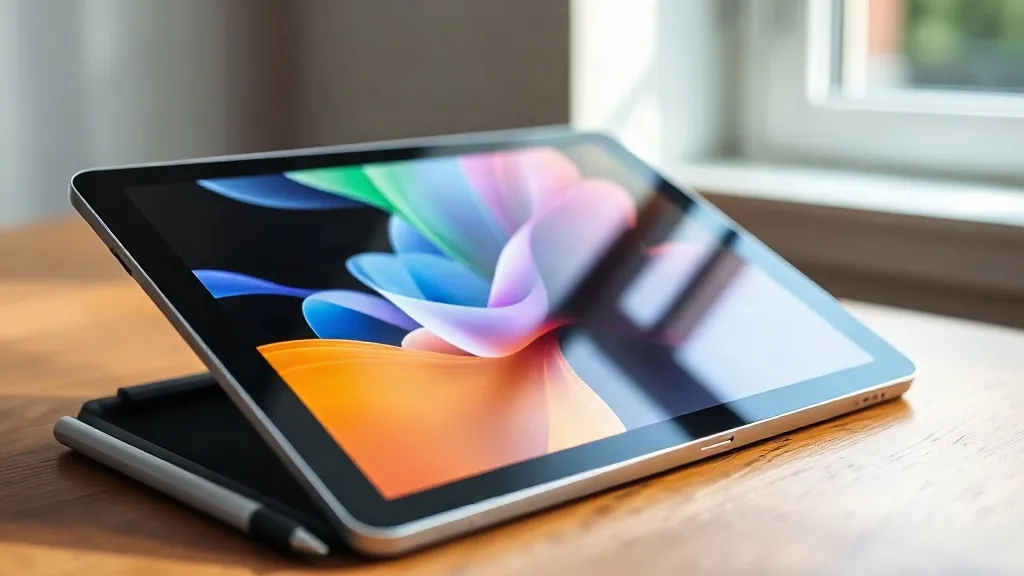
Amazon's Fire tablets have long been the budget-friendly choice for casual media consumption, but they've never been mistaken for premium devices. That changes with the Alexa Tablet 12 Pro, a $499 slate that aims to compete with mid-range Android tablets from Samsung and Lenovo. Announced alongside a few other models, the 12 Pro's headline feature is a matte display that promises to eliminate glare and reflections. After spending some hands-on time with the device, it's clear that Amazon is trying to reposition itself as a serious player in the tablet space.
A Design That Finally Feels Premium
Pick up the Alexa Tablet 12 Pro and the first thing you notice is its solid build. The aluminum chassis gives it a reassuring heft without being overly heavy. The 12.2-inch screen dominates the front, surrounded by reasonably slim bezels. There's a USB-C port for charging and data, and a microSD slot for expandable storage, a feature that's increasingly rare in competitors. The power and volume buttons are tactile and well-placed. Overall, it feels like a device that could sit on a coffee table without looking out of place in a living room.
The Matte Display: A Game Changer for Some
The star of the show is undoubtedly the matte display. Unlike typical glossy screens that turn into mirrors under bright light, this one diffuses reflections. In a sunlit room, I could still see the image clearly, though colors appeared slightly muted compared to a standard LCD. The trade-off is worth it if you often use your tablet outdoors or near windows. The matte finish also gives the screen a paper-like texture that's pleasant for reading, though it can make text look a tad softer. At 2560x1600 resolution, details are sharp, but the anti-glare layer adds a subtle grain that purists might notice. For media consumption, the effect is less pronounced, and videos still look vibrant.
How It Compares to Glossy Screens
I placed the Alexa Tablet 12 Pro next to a standard glossy tablet and the difference was striking. Under overhead lights, the glossy screen showed harsh reflections, while the matte one remained readable. However, the matte finish does reduce contrast slightly. Blacks aren't as deep, and colors lack that extra punch. It's a trade-off that will appeal to frequent flyers, outdoor readers, and anyone tired of constantly adjusting their viewing angle to avoid glare.
Performance and Software: Alexa Takes Center Stage
Under the hood, the tablet runs on an octa-core processor with 6GB of RAM. In my brief testing, navigating the interface was smooth, apps opened quickly, and light gaming was fluid. The tablet runs a customized version of Android with Amazon's Appstore, which still lacks some popular Google Play apps. However, Amazon has deepened Alexa integration. The voice assistant is always listening (with a physical mute switch), and you can use it to control smart home devices, play music, and even order products. A new 'Alexa Hub' mode turns the tablet into a smart display when docked, showing calendars, weather, and reminders.
Battery Life and Charging
Amazon claims up to 12 hours of mixed usage. In my hands-on, after two hours of streaming video at 50% brightness, the battery dropped by about 18%, suggesting the claim is realistic. The included 15W charger is slow by today's standards; a full charge takes over three hours. There's no wireless charging.
Who Should Buy the Alexa Tablet 12 Pro?
At $499, the Alexa Tablet 12 Pro is not an impulse buy. It's for someone who wants a large-screen tablet primarily for media consumption, reading, and Alexa-powered smart home control, and who values a glare-free display. If you need full access to Google Play or top-tier gaming performance, a similarly priced Samsung Galaxy Tab S6 Lite or Lenovo Tab P11 Pro might be a better fit. But for Amazon loyalists, this is the most compelling tablet the company has ever made.
FAQ
Is the matte display worth the extra cost?
If you frequently use your tablet in bright environments or hate reflections, yes. The matte finish significantly improves visibility outdoors and under harsh lighting. However, if you prioritize vibrant colors and deep blacks, a glossy screen might still be preferable.
Can I install Google Play Store on the Alexa Tablet 12 Pro?
Out of the box, it runs Amazon's Appstore, which lacks Google Play. However, you can sideload Google Play using APKs, though this requires technical know-how and may void warranties. Amazon doesn't officially support it.
Does the Alexa Tablet 12 Pro support stylus input?
Yes, it works with USI 2.0 styluses, but none are included. It's a nice option for note-taking and sketching, though the matte screen provides a more paper-like feel than glossy ones.
How does the Alexa Hub mode work?
When docked (dock sold separately), the tablet enters a smart display mode, showing ambient information like weather, calendar, and smart home controls. You can interact via voice or touch.
What's the storage situation?
It comes in 64GB and 128GB variants, both expandable via microSD up to 1TB. That's a rarity in this price range and a welcome feature for media hoarders.